











This page is your starting point for signing in to your Bongobongo account in Zambia. Whether you are logging in for the first time after registration or returning to check your balance and place a bet, the process takes under a minute once you know the steps. Below you will find clear instructions for accessing your personal account, recovering a forgotten password, fixing common errors, and keeping your login credentials safe.
Once you sign in, your dashboard gives you access to deposits, withdrawals, betting history, and account settings. Every feature on the platform requires authentication first, so getting through the login step smoothly matters.
Step-by-Step Login Instructions
Open your browser and navigate to the official Bongobongo website. The login form is visible at the top of the page on both desktop and mobile screens. You do not need to hunt for a hidden menu - the fields for your phone number and password are easy to find.
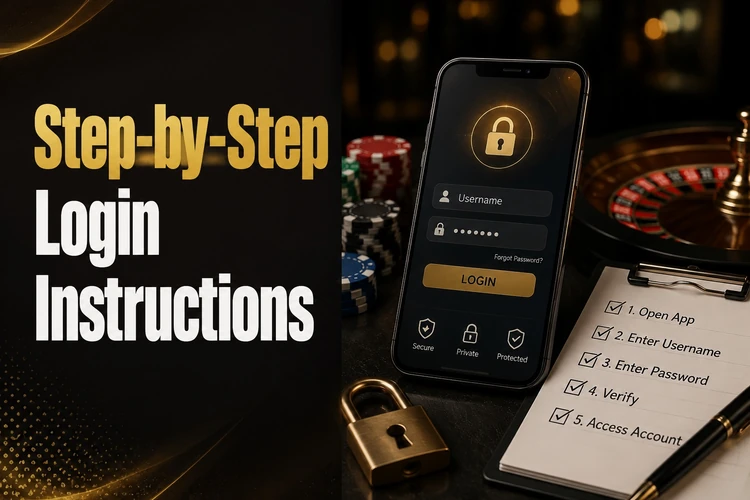
Enter the mobile number you used during registration. Zambian numbers typically start with 09xx or 07xx, and the system expects the format you originally provided. Double-check for extra spaces or missing digits - a single wrong character will block access. Next, type your password. Passwords are case-sensitive, so make sure Caps Lock is off and you are entering uppercase and lowercase letters exactly as you set them.
Tap or click the sign-in button. If everything matches, you land on your personal dashboard within a few seconds. If the page hangs, check your internet connection before retrying. Repeated failed attempts may temporarily lock the form, so take a moment to verify your details rather than guessing quickly.
Login Credentials Explained
Bongobongo uses your registered phone number as your username. There is no separate login name to remember - just the mobile number tied to your account. This keeps things simple, but it also means you need to remember exactly which number you registered with. If you have multiple SIM cards, try the one you used when you first signed up.
Your password was created during registration. It is the only credential you choose yourself, and the platform does not display it back to you after setup. If you saved it in your phone's password manager, you can autofill the field. Otherwise, you need to recall it or go through the reset process described in the next section. Avoid using obvious passwords like 1234 or your birth year - short, predictable strings are easy to guess and put your funds at risk.
Password Reset and Account Recovery
Forgotten passwords are the most common reason people get locked out. On the login form, look for the Forgot password? link. Tapping it opens a recovery flow that sends a verification code to your registered phone number via SMS. Enter that code on the next screen to prove you own the account.
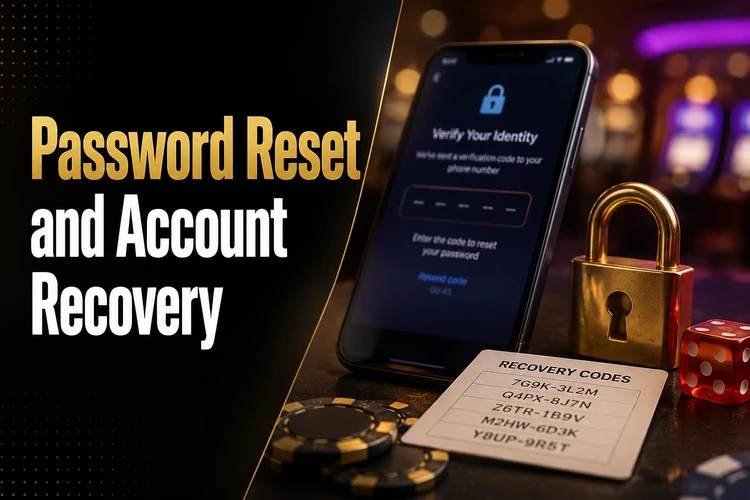
Once verified, the system prompts you to create a new password. Choose something at least eight characters long, mixing letters and numbers. Avoid reusing a password you already use on other sites. After saving the new password, return to the login page and sign in with the updated credentials. The old password stops working immediately, so there is no overlap period where both would be accepted.
If the SMS never arrives, make sure your phone has network signal and that your inbox is not full. Some users also have SMS filters or spam blockers that intercept verification messages. Check those folders before requesting a second code.
Common Login Errors and How to Fix Them
A wrong-password error usually means a typo or a Caps Lock issue. Re-enter the password slowly. If you are unsure whether you changed it recently, go straight to the password reset flow instead of exhausting your attempts.
A message stating that the account is not found typically means the phone number is wrong. Verify you are using the same number you registered with. If you have recently changed SIM cards, your old number is still the one linked to the account.
- Step 1: Clear your browser cache and cookies, then reload the page. Stale session data can cause unexpected errors even when your credentials are correct.
- Step 2: Try a different browser or switch from Wi-Fi to mobile data. This rules out local network restrictions or browser-specific glitches.
- Step 3: If the entire site is unreachable, the platform may be undergoing scheduled maintenance. Wait fifteen to thirty minutes and try again.
Persistent problems after all these steps usually require help from customer support. Provide your registered phone number and a description of the error so the team can investigate quickly.
Using Bongobongo Login on Mobile
Most players in Zambia log in from Android phones. The mobile version of the site loads automatically when you open bongobongozm.com in Chrome, Samsung Internet, or any modern mobile browser. The layout adjusts to your screen, and the login fields stay at the top for easy access.
If you prefer a dedicated experience, the Bongobongo mobile app can make access easier on your own device. On shared or borrowed devices, skip any saved-password option and log out manually when you finish. Leaving an active session on someone else's phone is the fastest way to lose control of your account.
Slow loading on mobile is almost always a bandwidth issue. Switch to a stable connection, close background apps consuming data, and avoid peak-hour congestion if you are on a crowded network.
Account Security Recommendations
A strong password is your first and best defence. Use a mix of uppercase letters, lowercase letters, and numbers - ideally something that does not appear in a dictionary. Change it every few months, especially if you suspect someone else has seen it.
Never share your login details with anyone, even someone claiming to represent the platform. Bongobongo staff should not need your password by phone, SMS, or social media. Treat any such request as a scam.
Always verify you are on the correct website before entering your credentials. Phishing pages mimic the look of legitimate sites but use slightly altered addresses. Bookmark the real page or type the URL yourself rather than following links from messages you did not expect. On shared or public devices, always log out and close the browser window when you are done. You can explore the responsible gambling page for additional advice on keeping your experience safe and controlled.
Additional Login Tips
Keep your browser updated to the latest version. Outdated browsers may struggle with modern login forms, and security patches in newer versions help protect your credentials during transmission.
If you experience repeated errors after an app or browser update, clearing stored cookies often resolves the conflict. On Chrome for Android, go to Settings, then Privacy, then Clear Browsing Data, and select cookies and cached files. Reload the site afterwards.
Consider saving the site as a home-screen shortcut on your phone. It opens faster than typing the address each time, and you avoid mistyping the URL into a search engine that might send you to the wrong place. Reliable internet matters too - if your mobile data is unstable, connect to a trusted Wi-Fi network before logging in. For general information about the platform, the about page covers the basics. Players aged 18+ only.
FAQ
Open the official site, enter your registered phone number and password in the login form, then tap the sign-in button. You will be redirected to your personal dashboard if the credentials are correct.
You need the mobile phone number you used during registration and the password you created at that time. There is no separate username - your phone number serves as your login ID.
Use the Forgot password? link on the login page. The system sends a verification code to your registered number via SMS. Enter the code, create a new password, and sign in with the updated details.
Common causes include a mistyped phone number, an incorrect password, browser cache problems, or a full SMS inbox blocking verification codes. Clear your browser cache, double-check your credentials, and try again. If the problem persists, contact customer support.
Yes. Open bongobongozm.com in any modern mobile browser or use the dedicated app if you have installed it. The site detects your screen size automatically and displays a mobile-friendly login form.
For safer access, check that your browser shows a secure connection before entering your details. Use a strong unique password, avoid public Wi-Fi for account activity, and never share your credentials with anyone.